


Sensor error
PACKKEEPER / PACKMASTER / PACKLEADER
"Sensor error" [Oxygen sensor]
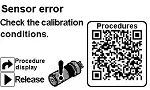
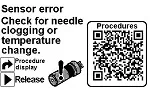

This error occurs in the case when the oxygen sensor output is unstable during span or zero calibration, or measurement.
The following may be considered as factors of unstable during calibration or measurement,
-When the ambient temperature changes drastically.
-When the needle, filter, or tube is loose or damaged.
-When the oxygen sensor membrane is damaged.
Check the details and troubleshoot with the following actions.
-Is the oxygen sensor correctly mounted?
-Is the O-ring for the housing deviated? | -Align the ▲ mark on the probe (blue) with the ▲ mark on the housing (red).
-Firmly mount the O-ring for the housing in the groove. |
|---|---|
Has water or foreign matter gotten between the oxygen sensor and housing? | Remove the oxygen sensor and clean the inside of the housing. Lightly wipe the metal mesh at the center of the oxygen sensor surface with tissue paper, etc., to remove any moisture or foreign matter. Replace the needle, membrane filter, check valve, and sampling tube with new parts. |
Is the connection of the needle, membrane filter, check valve, or sampling tube loose? | Securely tighten the connection for the needle, membrane filter, check valve, or sampling tube. |
Is the needle, membrane filter, check valve, or sampling tube clogged? | Check for clogging. If clogged, unclog the part or replace it with a new part.
If the symptoms do not improve, make a request for repairs. |
Is the needle, membrane filter, check valve, or sampling tube damaged? | Replace the damaged part with a new part. |
Are there any factors that could cause the measurement environment temperature to change drastically? | Calibrate the span in a room with little temperature change, where it is not affected by air conditioning. |
■If the symptoms are not resolved even after taking the above actions and confirming the calibration conditions, the oxygen sensor membrane may be damaged.
→ Replace the oxygen sensor with a new part. (Contact the dealer from which you purchased the product if the warranty is still valid.)
■If the symptoms do not improve even after replacing the oxygen sensor.
→ There is a possibility of malfunction of the main unit and it needs a request for repairs. Please contact the dealer from which you purchaesd the product.
"Sensor error" [CO2 sensor] *Only PACKLEADER/RO-105L or RO-105LS
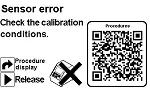
■Products shipped before 27, 2023
This error displays when the sensor output is unstable or is not output during CO2 calibration on the PACKLEADER. (Not displayed for PACKMASTER or PACKKEEPER.)
■Products shipped after 28, 2023
This error displays when the sensor output is unstable or is not output during CO2 zero calibration* or CO2 span calibration on the PACKLEADER.
(Not displayed for PACKMASTER or PACKKEEPER.)
*CO2 zero calibration is a new function for products shipped after November 28, 2023.
Is the needle, membrane filter, check valve, or sampling tube clogged? | Check for clogging. If clogged, unclog the part or replace it with a new part. |
|---|---|
[If during CO2 span calibration] Is the CO2 calibration value set correct? Can standard gas be suctioned correctly from the needle? | ■Products shipped before 27, 2023
Correctly set the CO2 calibration value with standard gas in the
15 to 90% CO2 range. ■Products shipped after November 28, 2023Correctly set the CO2 calibration value with standard gas in the 9 to 90% CO2 range. Set the needle so it can suction the CO2 standard gas and perform CO2 calibration. |
■If the symptoms are not resolved even after taking the above actions and confirming the calibration conditions
→ The CO2 sensor may have reached its service life or may be faulty.The CO2 sensor can be replaced only by Iijima Electronics Corporation. Contact the dealer from which you purchased the product for replacement and repairs.